
Appearance
Activity lane
The activity lane is an optional helper for remembering what you did. It is off by default.
What it does
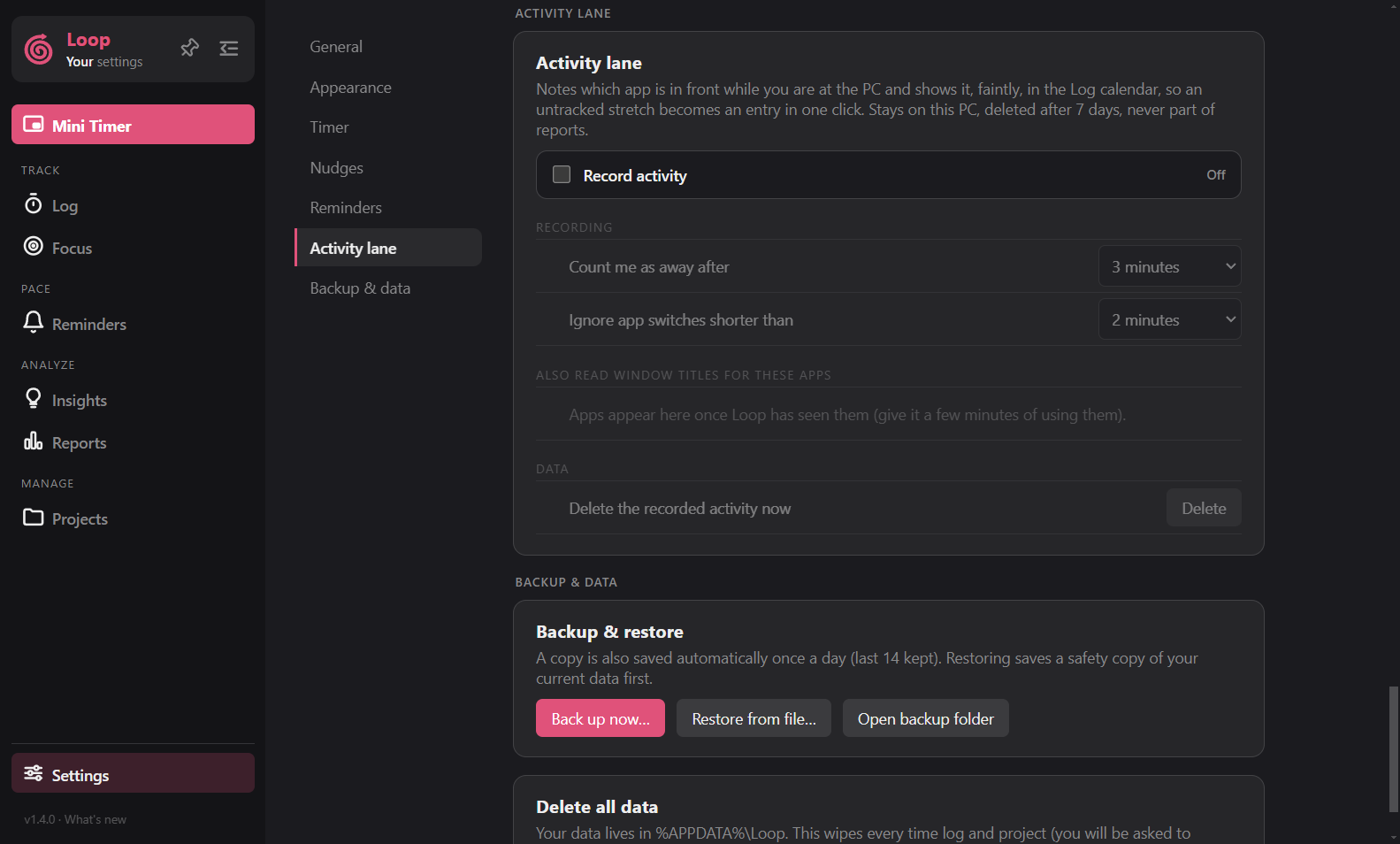
When on, Loop notes which app is in the foreground every few seconds and keeps only the changes. In the Log calendar it shows as a lane beside each day, so you can see untracked stretches and turn them into logs.
What it does not do
- It does not leave your computer.
- Window titles are stored only for apps you choose.
- Idle time, lock and sleep are ignored.
- Records are deleted after 7 days.
- It never counts toward totals, reports, insights or exports.
Using it
- Turn on Record activity in Settings > Activity lane. Loop asks you to confirm.
- In the calendar, a dashed block is activity without a log. Click it to create a log. Use
CtrlorShift+ click to pick several and make one log. - Faded blocks are already covered by a log.
You can set how long without keyboard or mouse counts as away (1 to 10 minutes) and Ignore app switches shorter than (1 to 15 minutes), which only changes how the lane is drawn. Delete the recorded activity now clears it.