Appearance
Projects
Projects group your logs. A project is optional: you can track with just a task name.
Work or Personal
Every project is either Work or Personal. This keeps your own time out of your work reports.
- Logs with no project count as Work by default. Change this in Settings > General > Work and Personal.
- The Log page can show All, Work or Personal.
- Reports filter by type, and start on Work unless you change it.
- Insights has its own All / Work / Personal switch.
Managing projects
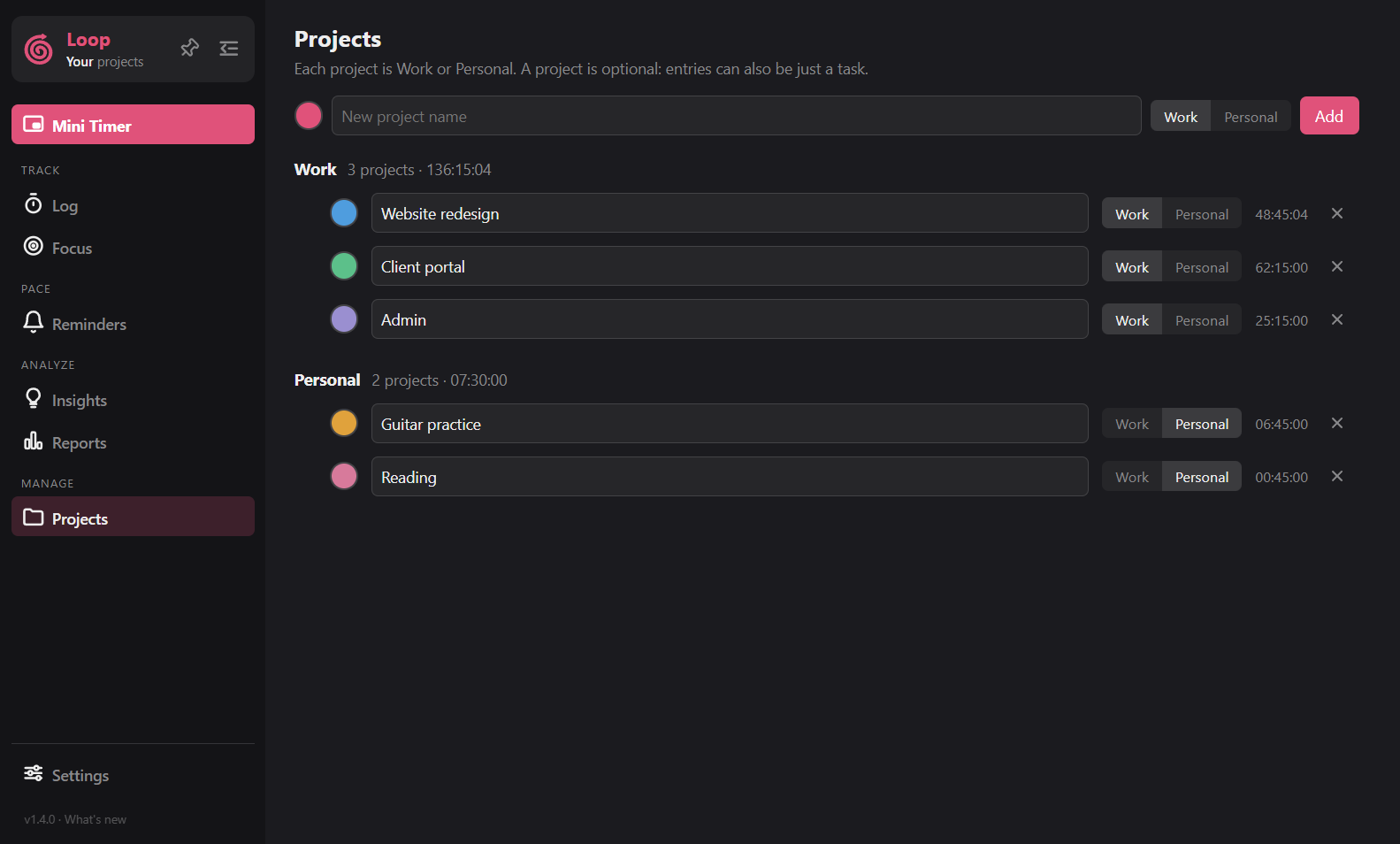
On the Projects page, type a name, pick a colour and Work or Personal, and press Add. On each row you can change the colour, rename the project and switch it between Work and Personal. Projects are grouped under Work and Personal, with the time and a total for each group.
Goals and reminders per project
A weekly goal in hours and a "remind after N days" value can be set for each project in Settings > Nudges > Per project. Nudges use them.
Deleting
Deleting a project asks what to do with its logs: keep the logs (they just lose the project) or delete them as well.